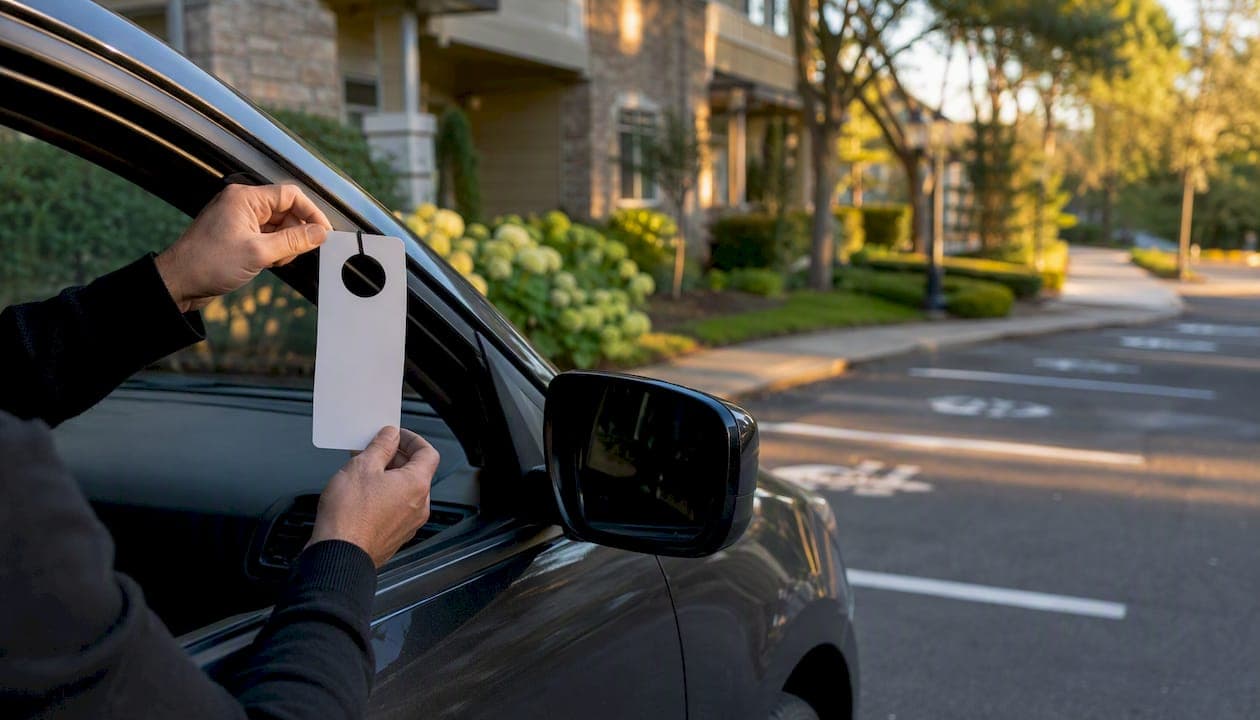
Property teams can reliably issue and track guest parking permits on private property today. The recommended approach is a written policy paired with a plate-based or digital authorization record — not a paper hangtag system alone. Three trust signals separate an enforceable program from one that collapses under its first dispute:
- Audit logs that timestamp every permit issued, modified, or expired
- Role-based permissions so front-desk staff can issue passes without accessing resident financial data
- Automatic expiration so guest access ends without manual follow-up
QuonSapp covers all three out of the box, with built-in parking permit issuance, visitor passes, audit logs, and a multi-property dashboard designed for exactly this workflow.
Key Takeaways
A written policy paired with plate-based or digital authorization records is the only guest parking approach that holds up under enforcement, resident disputes, and portfolio audits.
| Point | Details |
|---|---|
| Policy plus record is the baseline | A written policy with a digital or plate-based log is required before any enforcement is defensible. |
| Choose permit type by enforcement capability | Plate whitelists and QR passes close fraud loops that physical hangtags cannot. |
| Three non-negotiable trust signals | Audit logs, automatic expiration, and role-based permissions are required in any system you select. |
| Sync permits to lease status | Guest access must end automatically when a resident moves out; manual processes create liability. |
| QuonSapp covers the full workflow | QuonSapp issues, logs, and expires permits across multiple properties from one dashboard with mobile and offline support. |
Table of Contents
- What to do right now to start issuing guest permits
- Which guest permit type fits your property?
- Step-by-step workflow to issue, validate, and expire permits
- Policy essentials and enforcement best practices
- Realistic implementation timeline and cost checklist
- How to choose a guest parking permit system
- How QuonSapp handles guest parking permits end to end
- Integrating permit systems with your existing property management software
- Handling exceptions: VIP guests, contractors, and events
- Training and communicating the policy to residents and staff
- What running guest parking well actually looks like
- QuonSapp makes permit management portfolio-ready
- Useful sources and templates
What to do right now to start issuing guest permits
Before you evaluate any software, you can eliminate the most common failure points this week with five quick actions:
- Write a one-page SOP. Define who can authorize a guest permit, what data to collect (unit number, resident name, guest plate, start date, end date), and who to call for escalations. Post it at the front desk.
- Set permit type and duration defaults. Decide whether you use physical hangtags, paper slips, or digital/plate-based records. Set a default duration (24 hours, 72 hours, or 7 days) and a monthly cap per unit.
- Assign roles. Front-desk staff issue and log permits. Enforcement officers validate on patrol. Residents request through the portal or in person. No role overlaps.
- Start a log today. Even a shared spreadsheet with unit, plate, start, end, and authorizing staff beats nothing. You will migrate this data when you deploy software.
- Post signage. Unauthorized vehicles must see a posted notice before towing is defensible. Place signs at every entrance and in the lot.
Which guest permit type fits your property?
Permit type determines your enforcement capability. Physical permits help on-site enforcement at larger properties; virtual permits suit smaller ones where staff can cross-reference a digital list.
| Permit Type | Best For | Pros | Cons |
|---|---|---|---|
| Physical hangtag | Large complexes with patrol staff | Visible at a glance, no tech required | Easily copied or shared; no audit trail |
| Paper day slip | Small properties, occasional guests | Low cost, simple to issue | No plate link; fraud-prone |
| QR/digital pass | Mid-size apartments, tech-forward HOAs | Timestamped, hard to copy, mobile-friendly | Requires smartphone; setup time |
| Plate whitelist (LPR) | Gated communities, high-volume portfolios | Fully automated validation; closes fraud loops | LPR hardware cost; higher setup complexity |
| Assigned long-term permit | Contractors, extended-stay visitors | Clear duration; tied to unit record | Requires periodic audit to prevent abuse |
Digital systems that tie authorization to license plates close the most common fraud loop: a resident lending their hangtag to a neighbor. For gated suburban HOAs and event or contractor scenarios, a plate whitelist is the most defensible option.
Step-by-step workflow to issue, validate, and expire permits
- Resident submits a request. Via the resident portal, front desk, or phone. Staff confirm the unit is active and the resident has not exceeded their monthly cap.
- Staff creates the authorization record. Log: unit number, resident name, guest name (optional), guest plate, permit type, start date/time, end date/time, authorizing staff member, and reason (visitor, contractor, event).
- Permit is issued. Print a dated slip or hangtag, or add the plate to the digital whitelist. For QR systems, send the pass to the resident's phone.
- Gate or access control is provisioned. If your property uses LPR or a gate system, the plate is added to the approved list with the expiration timestamp.
- Patrol validates on-site. Officers cross-reference plates against the active permit list. Plate-based verification means officers respond to confirmed violations rather than patrolling blind, which cuts labor cost and improves response rates.
- Permit expires automatically. The system removes the plate from the whitelist or flags the pass as expired at the set end time. No manual follow-up required.
- Overstay procedure. Officer confirms expiration in the log, issues a notice, and escalates per the enforcement ladder if the vehicle remains.
Pro Tip: Require that the guest plate be different from any plate already registered to that unit. This single rule, enforced at the point of registration, prevents residents from using their own vehicles as perpetual "guest" passes.
Policy essentials and enforcement best practices
A policy that cannot be enforced consistently will be challenged. Every HOA or apartment parking policy needs these elements in writing:
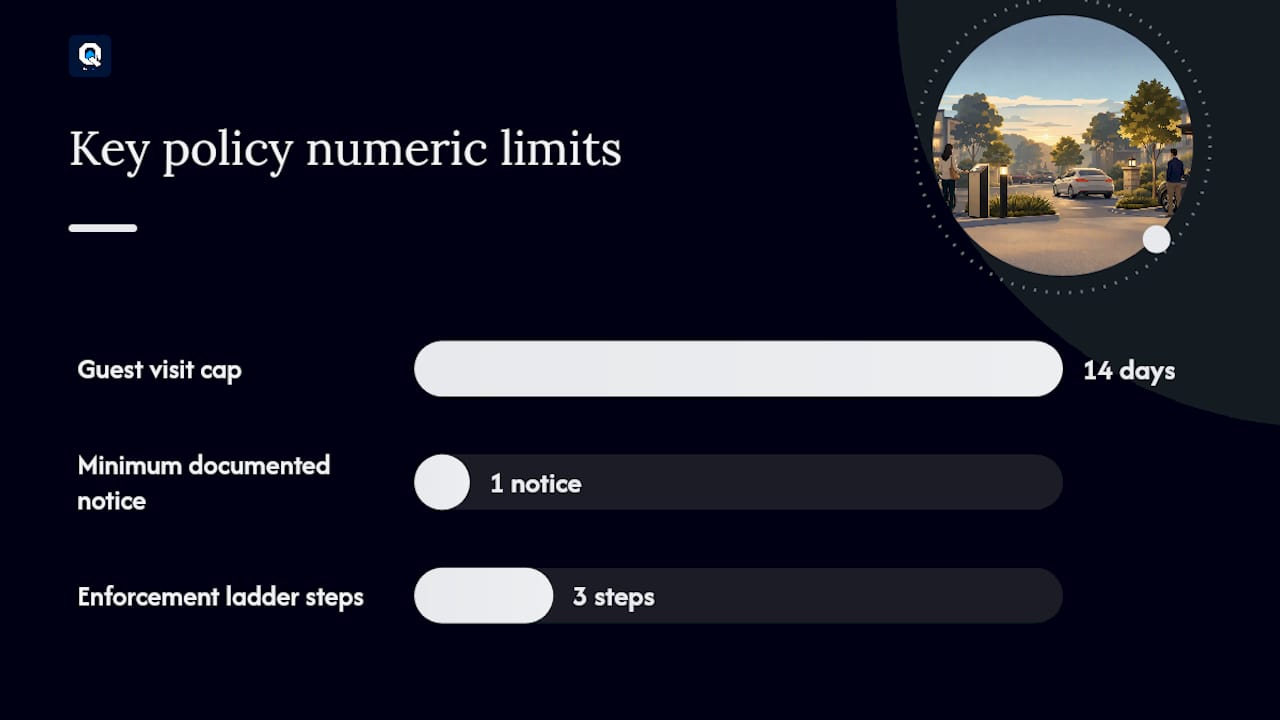
- Guest definition and duration cap. Specify what constitutes a guest visit (typically under 14 consecutive days) versus a long-term visitor, which requires a separate permit category.
- Monthly cap per unit. Time-based restrictions and monthly caps reduce abuse and keep shared lots available. A commonly suggested cap is a monthly limit on guest days per unit to reduce abuse and maintain availability.
- Contractor and event exceptions. Define a separate permit category with a supervisor sign-off requirement and a hard expiration date.
- Fee structure. Some communities charge for extended guest permits. If you do, document the fee in the lease addendum or CC&Rs.
- Signage requirements. Signs must be posted at all entrances and in the lot before towing is legally defensible in most U.S. states.
- Retention policy. Keep guest logs for the period your state requires for civil disputes, then auto-purge. Collect only what you need: plate, unit, dates, and authorizing staff.
LPR cameras cross-reference parked plates with permit databases and produce timestamped photo evidence, making enforcement objective and far easier to defend if a resident disputes a fine or tow.
The enforcement ladder: written notice → fine → tow. Move to towing only after at least one documented notice, except for fire-lane or safety violations.
Realistic implementation timeline and cost checklist
| Phase | Target Duration | Key Milestone |
|---|---|---|
| Policy drafting and board approval | 2–3 weeks | Signed policy document and lease addendum |
| Signage installation | 1 week | All entrances and lot areas posted |
| Software setup and data import | 1–2 weeks | Resident records and plates loaded |
| Staff training | 2–3 days | All front-desk and patrol staff certified |
| Pilot (one building or zone) | 30 days | Issuance rate, violation rate, and help-desk load tracked |
| Full portfolio launch | Week 7–8 | All properties live; first audit complete |
Cost checklist for your budget:
- Signage printing and installation (varies by lot size and vendor)
- Software subscription (monthly, based on portfolio size)
- LPR hardware, if applicable (one-time capital cost; not required for plate-whitelist-only setups)
- Staff hours for data cleanup and resident communication (typically 4–8 hours per property at launch)
- Resident notification letter or portal announcement (minimal cost if using existing communication tools)
Measure ROI at the 30-day pilot mark: count permit disputes before and after, track enforcement officer time per shift, and log resident help-desk calls about parking. Those three numbers tell you whether the system is working.
How to choose a guest parking permit system
Evaluate any vendor against this checklist before a demo:
- Plate-based or QR authorization (not paper-only)
- Audit log with timestamp and user for every action
- Role-based permissions separating issuance, enforcement, and admin access
- Multi-property support from a single dashboard
- Resident self-service guest registration (reduces leasing-office load and improves satisfaction when registration takes under 30 seconds)
- Real-time sync with lease and resident status so guest access ends automatically on move-out (see lease tracking software for context on syncing these records)
- Access control and LPR integration for gated properties
- Mobile and offline support for patrol staff in low-connectivity areas
Red flags: no audit log, manual-only data imports, no expiration automation, and no way to tie a permit to a specific resident record. Any vendor missing two or more of these is a liability in a dispute.
How QuonSapp handles guest parking permits end to end
QuonSapp's built-in parking permit and visitor pass features map directly to the checklist above. Here is how the key capabilities apply in practice:
- Audit log: every permit issued, modified, or expired is timestamped with the staff member's name
- Role-based access: front-desk staff issue passes; managers see the full log; residents access only their own records
- Multi-property dashboard: manage permits across an entire portfolio from one account
- Expiration automation: permits expire at the set date without manual removal
- Mobile and offline support: staff can issue and validate permits from iOS or Android even with weak connectivity
- Resident portal integration: residents submit guest requests directly; staff approve or deny with one tap
Small HOA setup (under 100 units): Use physical hangtags for on-site visibility plus a plate whitelist in QuonSapp. Front desk logs every permit at issuance; patrol cross-references the app on phone. Start with the highest-complaint zone.
Large portfolio setup (2,000+ units): Run fully digital, plate-based permits with tiered guest hours per unit tier. Use the multi-property dashboard to audit across all sites weekly. Pilot in one building for 30 days with defined metrics before rolling out portfolio-wide.
Integrating permit systems with your existing property management software
The most common integration failure is a resident who moves out but retains active guest permits. Prevent it by syncing permit status to lease end dates. When a lease closes in your property management system, all associated guest permits should expire automatically.
Practical integration steps: connect your resident records to the permit system so that unit status (active, notice-given, vacated) drives permit eligibility. For digital property management workflows, this sync is the single highest-value integration you can build. If your current tools do not support it natively, a CSV export/import on a weekly schedule is an acceptable interim step.
For properties that also manage maintenance or access control, route contractor permits through the same system so every vehicle on the lot, whether a resident guest or a plumber, has a logged authorization.
Handling exceptions: VIP guests, contractors, and events
Standard permit rules break down in three scenarios, and each needs its own documented exception path.
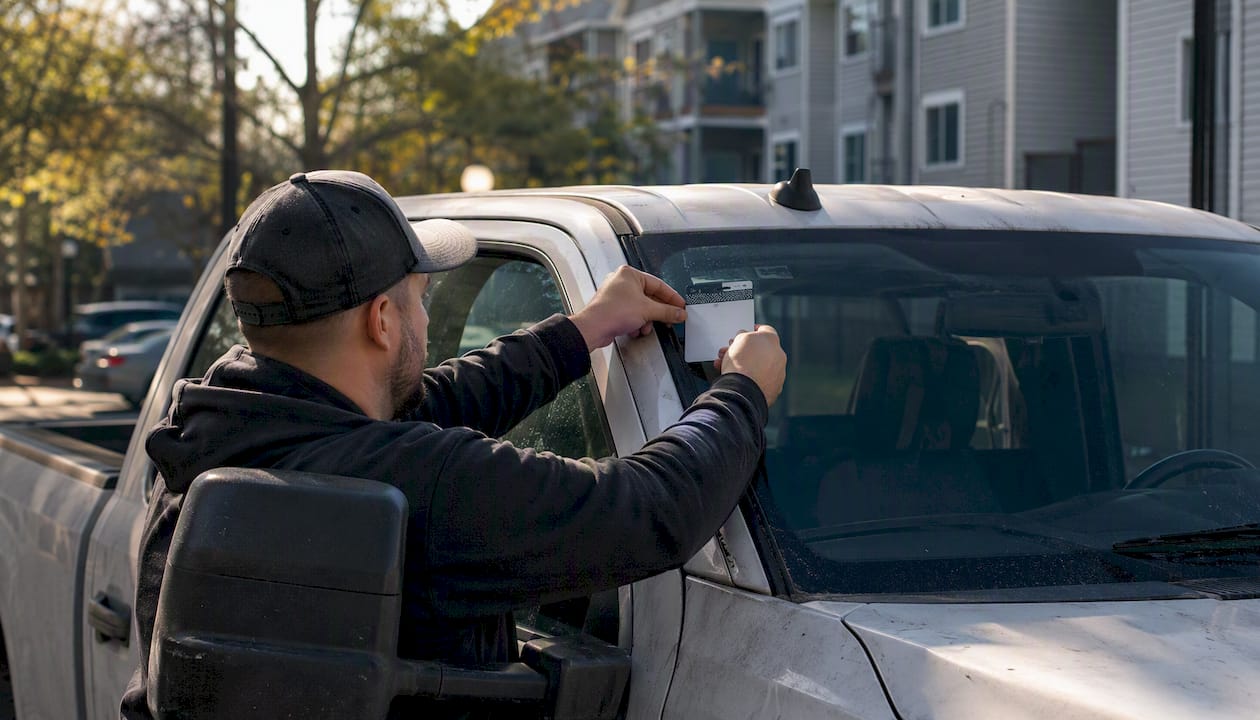
VIP or extended-stay guests (family members staying several weeks) need a long-term visitor permit category with a hard expiration date, a supervisor sign-off, and a note in the resident's profile. Set a maximum duration (30 days is common) before the permit must be renewed or escalated to a lease addendum.
Contractors should receive a dated permit tied to a specific work order. Require the unit or property manager to authorize it, log the contractor's plate and company name, and set the expiration to the last day of the scheduled work. This creates a paper trail if a contractor vehicle is later found on-site without authorization.
Event parking (community gatherings, open houses) requires a temporary bulk permit. Issue a date-specific pass for the event window, designate overflow areas in advance, and notify residents of the temporary capacity change via announcement. Log the event permit separately so it does not inflate your regular guest permit counts.
Training and communicating the policy to residents and staff
A policy that residents do not understand generates more disputes than no policy at all. Keep communication direct and specific.
For staff, a 30-minute walkthrough covering the SOP, the software workflow, and two or three real-scenario role-plays is more effective than a written manual alone. Run a refresher every six months and whenever the policy changes.
For residents, send a one-page summary at move-in and post it in the resident portal. Cover three things: how to request a guest permit, what the limits are, and what happens if a guest vehicle is found without a valid pass. Avoid legal language in resident-facing materials. Plain sentences reduce calls to the front desk.
When you launch a new system, send a 30-day heads-up announcement, a reminder one week before go-live, and a follow-up FAQ after the first two weeks. Residents who feel informed rarely escalate to the board.
What running guest parking well actually looks like
The properties that handle visitor parking with the least friction share one trait: they made the authorization record the source of truth, not the physical permit. When a patrol officer can pull up a plate on a phone and see exactly who authorized it, when it expires, and which unit it belongs to, the conversation with a resident changes. It stops being adversarial and becomes factual.
Audit logs do more than protect you in disputes. They change resident behavior. When residents know every permit is logged to their unit, the casual abuse of the guest lot drops noticeably. Staff spend less time on parking complaints and more time on work that actually moves the property forward. That shift is worth more than any enforcement fine you will ever collect.
QuonSapp makes permit management portfolio-ready
If you manage more than one property or your current process relies on paper logs and manual follow-up, QuonSapp gives you a faster path to an enforceable, auditable system. Issue and print dated parking permits with vehicle info, unit, and expiration dates. Every action is logged with a timestamp and user. Residents submit guest requests through the portal; staff approve in seconds. The multi-property dashboard means you are not logging into five different systems to audit one week of permits.

Pilot QuonSapp in one building or a zone of 50 units for 30 days. Track three numbers: permit issuance rate, violation rate, and resident help-desk calls about parking. Most teams see a measurable drop in disputes within the first two weeks. Quonsapp and have your first permits issued before the end of the week.
Useful sources and templates
- HOA parking management guide (Reliant Parking) — policy templates and permit type guidance for HOA boards
- Visitor parking management for apartments (Wayleadr) — operational framework covering policy, capacity, pricing, access, and enforcement
- HOA parking enforcement methods (Placa) — LPR integration and enforcement ladder guidance