
The most reliable way to publish resident announcements today is to combine SMS for urgency, email for detail, and a resident portal for the permanent record, with QuonSapp handling scheduling, segmentation, and audit logs from a single dashboard. Every announcement you send should include six key components before it goes out.
- Headline (10 words or fewer, action-first)
- One-line summary stating who is affected and what changes
- Date and time the situation starts and ends
- Clear call to action (what residents should do next)
- Opt-out/consent note on every SMS
- Required metadata: audience segment, priority level, and send window
Pro Tip: Lock these six fields into a template so no one on your team can publish without completing them. Incomplete notices generate follow-up calls that cost more time than the template saves.
Key Takeaways
Effective resident announcements combine the right channel, a complete six-field template, documented consent, and a timestamped audit log, with QuonSapp supporting each step from a single dashboard.
| Point | Details |
|---|---|
| Use a three-channel recipe | Combine SMS for urgency, email for detail, and portal for the permanent record on every significant notice. |
| Lead with the action | The first sentence of every notice must state what residents should do or expect, not background context. |
| Match lead time to urgency | Allow 2–6 weeks for policy updates and events; submit community-facing materials ideally six weeks in advance. |
| Document consent and delivery | Store SMS opt-in data in resident profiles and archive every sent notice with a timestamped delivery report. |
| QuonSapp as the admin hub | QuonSapp covers templates, segmentation, scheduling, audit logs, and push/SMS/email dispatch from one platform. |
Table of Contents
- What are resident announcements and when do you use them?
- How to write effective resident announcements
- Which channels should you use and when?
- How to segment recipients and schedule sends
- What software features matter for resident announcements?
- Admin steps: create, edit, delete, and maintain announcement records
- Timing and distribution: research-backed lead times
- How to handle resident feedback and two-way communication
- Data privacy and compliance in resident communications
- What a structured announcement workflow looks like in practice
- QuonSapp gives property managers a complete announcement system
- Sources
What are resident announcements and when do you use them?
Resident announcements are operational notices sent from a property manager or HOA board to residents about anything that affects their daily life in the building or community. They cover safety and evacuation orders, urgent maintenance, scheduled utility outages, amenity changes, policy updates, community events, and vacancy or lottery notices.
The format should match the urgency. A burst water main at 2 AM calls for a 160-character SMS push, not a formatted email newsletter. A new pet policy rolling out next quarter deserves a full email with a PDF attachment, a portal post, and a printed notice on the bulletin board. Matching format to urgency is the single most common mistake managers make, and it erodes resident trust fast.
Common use cases, ranked by typical frequency:
- Scheduled maintenance and outages (elevator service, HVAC inspections, water shutoffs)
- Safety and evacuation alerts (fire, gas leak, severe weather)
- Policy updates (parking rules, pet fees, amenity hours)
- Community events (HOA meetings, social events, board elections)
- Amenity changes (pool closures, gym equipment replacement)
- Vacancy and lottery notices (affordable housing waitlist openings)
Pro Tip: Keep a running "announcement log" in your property management software. When a resident disputes a policy change, a timestamped log entry is your first line of defense.
How to write effective resident announcements
Lead with the action. The first sentence of every community update should tell residents exactly what to do or expect, not explain the background. Background comes second.
Use the five W's in order: who is affected, what is happening, where it applies, when it starts and ends, and why it matters. Residents scan notices on their phones. If the answer to "what do I need to do?" isn't in the first two sentences, many will miss it.
Subject lines and headlines
For email, keep subject lines under 50 characters and front-load the most important word. "Water Outage: Building A, Sat. 8 AM–2 PM" outperforms "Important Notice Regarding Scheduled Maintenance." For SMS and push notifications, lead with the property name or unit range so residents know it applies to them.
Three ready-to-use templates
Urgent safety alert (SMS/push):
[Property Name]: Gas leak reported near [Building/Unit]. Evacuate now. Use [Exit]. Do not use elevators. Call 911. Reply STOP to opt out.
Scheduled maintenance notice (email):
Subject: Water Shutoff — [Building Name] — [Date], [Start Time]–[End Time] Dear [Resident Name], Water service to [Building/Wing] will be off on [Date] from [Start Time] to [End Time] for [reason]. Please store water in advance. Contact [Manager Name] at [Phone/Email] with questions.
Community event (portal/email):
Subject: HOA Annual Meeting — [Date] at [Time], [Location] All residents of [Community Name] are invited to the annual HOA meeting on [Date] at [Time] in [Location]. Agenda items include [Item 1], [Item 2]. RSVP by [Date] at [Link/Phone].
Readability and accessibility checklist
- Write at a 6th–8th grade reading level for maximum reach
- Use short paragraphs (two to three sentences maximum)
- Add alt text to any images or attachments
- Offer a Spanish-language version for communities where Spanish is the primary language for a significant share of residents
- Avoid jargon ("egress" → "exit," "remediation" → "repair")
Pro Tip: For urgent notices, read the draft aloud. If you stumble, a resident under stress will too.
Which channels should you use and when?
Each channel has a different strength. Picking the wrong one for the message type is the fastest way to miss residents who needed the information.
Multi-channel recipe for a 24-hour water outage:
- SMS to all affected units (urgency + short detail)
- Email to all affected units (full details, FAQ, contact info)
- Signage posted at building entry and elevator lobbies
- Portal post logged for the permanent record
SMS reaches residents who may not check email or the portal regularly. Texts require no app download or account sign-in, which is why text-first communication tends to see strong adoption across resident demographics.
For SMS specifically, TCPA compliance requires written opt-in consent before you send any marketing or non-emergency text. Safety and emergency alerts may qualify for different treatment under your state's rules, but the safest practice is to collect opt-in at move-in and document it. For policy and safety notices, keep a delivery record. If a resident later claims they never received a notice, your audit log is the proof.
How to segment recipients and schedule sends
Not every notice belongs in every inbox. Sending a parking-garage closure notice to residents in a building without a garage creates noise and erodes trust in your communications.
Segmentation levels to build into your workflow:
- All residents (community-wide safety alerts, HOA meeting notices)
- By property or building (maintenance affecting one structure)
- By unit or floor (elevator outage on floors 4–8)
- By lease status (renewal reminders to residents within 90 days of expiration)
- By language preference (Spanish-language version of policy updates)
- By service animal or accessibility need (elevator outage notices require extra urgency for these residents)
Priority rules and send windows:
- Emergency (fire, gas, flood): Send immediately, all channels, any hour
- High priority (water shutoff, security incident): Send within 1 hour, SMS + email + portal, business hours preferred but override if urgent
- Normal (event reminder, policy update): Schedule during 9 AM–6 PM local time, email + portal, 2–6 weeks lead time
Pro Tip: Set quiet hours (10 PM–7 AM) as a hard block in your scheduling tool for non-emergency sends. One accidental 2 AM blast can generate a week of complaints.
Approval workflow: one person drafts, a second person reviews and approves, and only the approved version gets scheduled. Version control matters. If you edit after approval, the notice goes back for review.
What software features matter for resident announcements?
The right resident communication software handles more than just sending a message. It enforces your workflow, keeps your records clean, and protects you legally.
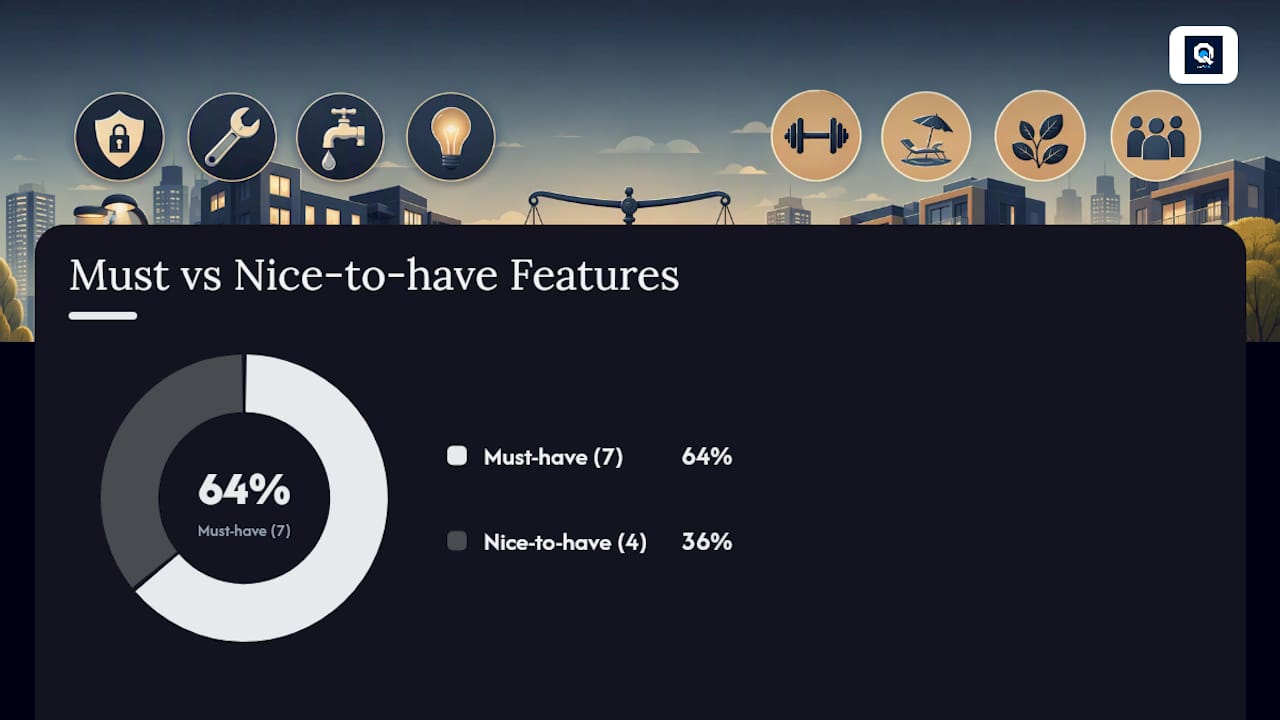
Must-have features:
- Segmentation filters (by property, building, unit, lease status)
- Scheduled sends with time-zone awareness
- Multi-channel dispatch (email, SMS, push notification)
- Audit logs and delivery reports
- Pre-built templates with variable fields
- Opt-in management and TCPA/consent metadata storage
- Two-way message threading for resident replies
Nice-to-have features:
- Translation support for multilingual communities
- Digital signage integration
- Automated follow-up reminders
- Analytics dashboards (open rates, delivery rates)
QuonSapp maps directly to the must-have list. Its announcement module lets you send targeted messages to all residents or specific groups with priority levels, backed by push notifications, SMS, and email. Resident profiles store contact preferences and consent metadata. The audit log records every action with a timestamp and user ID. Pre-built templates with variable fields let you enforce consistent formatting across your team.
| Must-have feature | How QuonSapp supports it |
|---|---|
| Segmentation | Filter by property, building, unit, or resident group |
| Scheduled sends | Set date, time, and priority before publishing |
| Multi-channel dispatch | Email, SMS, push notification from one dashboard |
| Audit log | Full activity trail with timestamp and user |
| Templates | Pre-built with variable placeholders |
| Opt-in management | Resident profiles store consent and contact preferences |
Pro Tip: Use template variables (resident name, unit number, property address) to personalize every notice at scale. Personalized notices get read; generic blasts get ignored.
Admin steps: create, edit, delete, and maintain announcement records
A repeatable workflow prevents errors and keeps your records audit-ready.
- Draft the announcement using your approved template
- Review for accuracy: dates, times, affected units, contact info
- Approval by a second team member or supervisor
- Schedule with the correct audience segment, priority, and send window
- Send and confirm delivery via the platform's delivery report
- Archive the notice in the portal with an expiry or review date
Roles and permissions:
- Drafters (front desk, leasing staff): create and edit drafts only
- Approvers (property manager, HOA board member): approve or reject before scheduling
- Publishers (manager or system): schedule and send
- Auditors (compliance officer, senior manager): read-only access to logs
Maintenance rules:
- Set an expiry date on time-sensitive notices so they don't appear in the portal after the event
- Archive, don't delete, notices that relate to safety or policy changes
- If a notice contains an error, issue a correction notice rather than editing the original; the original stays in the log
- Review your announcement archive quarterly for outdated policy notices
Pro Tip: For HOA special assessments or sensitive policy changes, treat the delivery log as a legal document. Store it with your HOA records and never delete it.
Timing and distribution: research-backed lead times
Lead time is where most managers underestimate the work. The City of Brunswick's community announcement guidelines recommend submitting materials at least two weeks before the desired posting date and ideally six weeks in advance. Public cable announcements typically run for a maximum of 30 consecutive days under those same guidelines.
Institutional channels reinforce this. Harvard Medical School's MyHMS e-letter publishes on set dates and requires submission by noon the Friday before publication, with strict headline and body character limits. That kind of fixed cadence is a useful model for any property running a recurring resident newsletter.
For predictable cadence, Moses Lake School District sends notices to registered accounts at scheduled times, demonstrating how a fixed schedule builds resident habit and reduces the "did you see the notice?" follow-up calls.
Scheduling checklist:
- Emergency notices: send immediately, no lead time required
- Urgent operational notices (outages, closures): 24–72 hours minimum
- Policy updates: 2–4 weeks minimum; 6 weeks preferred for major changes
- Community events: 2–6 weeks depending on RSVP requirements
- Recurring digests: monthly or bi-weekly on a fixed day and time
A live community announcements hub like the Gila River Indian Community's page shows what high-frequency, mixed-priority posting looks like in practice: date-stamped notices covering health advisories, events, and service schedules published on a rolling basis. That model works for large residential communities too.
How to handle resident feedback and two-way communication
Announcements should not be one-way broadcasts. Residents who can reply, ask questions, or flag errors are less likely to escalate to complaints or reviews.
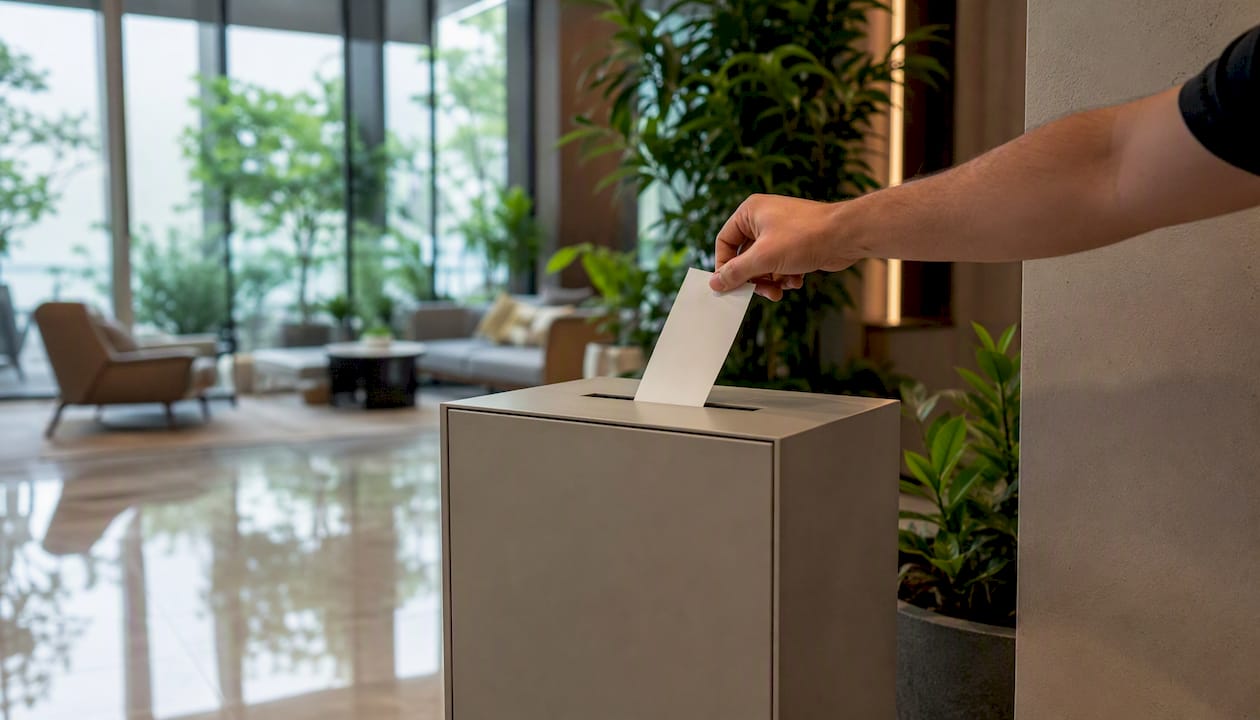
Build a reply path into every notice. For email, use a monitored inbox, not a no-reply address. For SMS, include a phone number or portal link. For portal posts, enable comments or a contact form. Route replies to the right person: maintenance questions go to the work order queue, policy questions go to the manager, and billing questions go to accounting.
Set a response SLA. A 24-hour reply window for non-emergency inquiries is a reasonable standard. Residents who receive a timely acknowledgment, even just "we received your question and will follow up by [date]," are far more patient than those who hear nothing.
For recurring feedback (the same question asked by multiple residents after a notice), update the original portal post with an FAQ addendum. This reduces repeat contacts and improves the notice for future reference.
Data privacy and compliance in resident communications
Resident contact data is regulated. Under the Telephone Consumer Protection Act (TCPA), you must have written consent before sending SMS messages to residents. Collect that consent at move-in, store it in the resident profile, and document the opt-in date and method.
Email communications fall under CAN-SPAM, which requires a physical mailing address, a clear sender identity, and an unsubscribe mechanism on every commercial message. Operational notices (water shutoffs, safety alerts) are generally exempt from CAN-SPAM's commercial requirements, but including an opt-down option is still good practice.
For communities subject to state privacy laws such as the California Consumer Privacy Act (CCPA), residents may have the right to request deletion of their contact data. Your platform needs to support data export and deletion workflows. Store only what you need, and purge contact data for former residents within a defined retention window (typically 3–7 years depending on your state's landlord-tenant statute).
Bethlehem Central School District's posting policies offer a useful parallel: they restrict for-profit content and require affiliation approval before posting, which mirrors the eligibility and content-review steps a property manager should build into their own announcement workflow.
This article provides general information about resident communication practices and is not legal advice. Confirm current TCPA, CAN-SPAM, and state privacy requirements with a qualified attorney.
What a structured announcement workflow looks like in practice
Running a tight announcement cycle changes the feel of a shift. Draft the notice first thing in the morning using a saved template, fill in the variables, and flag it for approval. By midday, the approver has reviewed it, the audience segment is set, and the send is scheduled for 3 PM. By 4 PM, the delivery report shows confirmed sends, and the portal record is timestamped and archived.
The difference between that workflow and ad-hoc messaging is not just speed. It is the audit trail. When a resident disputes receiving a notice about a policy change, the log shows exactly when it was sent, to whom, and on which channel. That kind of documented delivery record reduces disputes and builds resident confidence that your communications are reliable.
The lesson: structure is not bureaucracy. It is the fastest path from "we need to send something" to "it's done and documented."
QuonSapp gives property managers a complete announcement system
Property managers who need to send reliable, documented community updates across multiple buildings and channels no longer have to stitch together separate tools for email, SMS, and record-keeping. QuonSapp handles all of it from one dashboard: pre-built announcement templates with variable fields, segmentation by property, building, or unit, scheduled sends with priority levels, and an audit log that timestamps every action.

The platform's push notification system reaches residents on iOS and Android without requiring a separate messaging app. Resident profiles store opt-in consent and contact preferences, so your TCPA compliance documentation lives in the same place as your send history. For HOA managers, the announcement module connects directly to board votes, ARC requests, and violation tracking, so a policy change notice and its enforcement record stay linked.
Visit QuonSapp to book a demo or start a trial and see how the announcement workflow fits your portfolio.
Sources
The sources below were used for timing guidance, channel policies, and community posting examples throughout this article.
- Community announcements | The City of Brunswick
- Community announcements | Office of Communications and External Relations, Harvard Medical School
- District Announcements | Gila River Indian Community
- Community Events & Announcements | Moses Lake School District
- Community Announcements | Bethlehem Central School District