
A modern tenant management system must centralize searchable resident profiles, lease and payment history, maintenance records, communications, and audit-ready documents so your team can operate, report, and defend decisions quickly. Here are the core feature groups to require from any platform:
- Resident profiles: contact details, lease dates, emergency contacts, unit metadata, pet and parking fees
- Lease tracking: signed storage, start/end dates, renewal triggers, move-out workflows
- Payments and invoicing: online collection, payment history, automated late fees, reconciliation exports
- Maintenance and work orders: intake, photo evidence, vendor assignment, status pipeline
- Applications and screening: online forms, background and credit check integration
- Communications and portal: targeted messaging, threaded history, delivery receipts
- Document library and audit log: searchable PDFs, naming conventions, immutable activity trail
- Visitor, package, and parking logs: timestamped incidents, inspection photo sets
- Reporting and analytics: occupancy, collection rates, delinquency aging, maintenance KPIs
- Security controls: role-based access, data ownership terms, PCI-aware payment routing
Every one of these feature groups must support auditability: searchable PDFs, consistent naming, permissions, and a full activity log.
Key Takeaways
A tenant management system earns its place when it can produce a complete, timestamped, user-attributed record for any resident, payment, or maintenance event on demand.
| Point | Details |
|---|---|
| Centralize from day one | Fragmented data across e-sign tools, email, and photo folders creates audit gaps that cost you in disputes. |
| Enforce naming conventions early | Define your folder taxonomy before migrating so OCR and search work immediately after import. |
| Test auditability, not features | Run a live export of the audit log and a full-text search of a scanned lease during every vendor demo. |
| Security and compliance minimums | Require role-based access, immutable audit logs, PCI-aware payment routing, and written data-ownership terms. |
| QuonSapp covers the full checklist | Resident profiles, Stripe payments, maintenance, HOA workflows, and a full audit log in one platform. |
Table of Contents
- Why a centralized resident database reduces operational and legal risk
- What tenant database features should actually do: a procurement checklist
- HOA-specific features that standard landlord tools often miss
- Security, compliance, and data-ownership requirements
- Implementation, migration, and cost planning
- Questions to ask vendors during demos and RFP evaluations
- How QuonSapp maps to the tenant-database checklist
- The feature list is not the hard part
- QuonSapp gives you audit-ready tenant records from day one
- Sources
Why a centralized resident database reduces operational and legal risk
Fragmented tenant data is one of the most common sources of audit gaps, dispute failures, and reporting delays in property management. When signed leases live in an e-signature tool, maintenance photos sit in a shared folder, and communications stay buried in email. You end up with what practitioners call "dark data" — records that exist but cannot be quickly found, verified, or exported when you need them. Lease document storage best practices confirm that fragmentation across e-sign tools, email, and photo folders creates exactly these audit gaps, and that searchable PDFs with consistent folder taxonomy are the baseline fix.
Centralization speeds dispute resolution, monthly reporting, and regulatory audits because every record ties back to a single source of truth: the resident profile. A digital property management approach that links property, unit, tenant, lease, payments, and tickets in a relational model means your team can pull a complete resident history in seconds rather than hours.
Pro Tip: Before you migrate to a new platform, define your canonical folder taxonomy first: top-level folders named Leases, Inspections, Notices, and Maintenance, with subfolders per unit and tenancy. Enforce the naming convention on day one so OCR and search work immediately after import.
What tenant database features should actually do: a procurement checklist
Good tenant database features are not just checkboxes. Each capability needs a clear acceptance criterion you can verify during a vendor demo or proof-of-concept.
Resident profiles and lease tracking
A resident profile must store contact details, lease start and end dates, emergency contacts, unit metadata, pet fees, parking assignments, and rent amounts. Critically, it should version changes so you can see what a field said before it was edited. Lease tracking needs signed-lease storage, addenda, and automated renewal triggers well before expiration. Automating lease-renewal outreach at those intervals is one of the higher-value automation phases, though it requires more configuration than basic rent reminders.
Move-out workflows should generate templated notices and link to the matching move-in inspection record so photo comparisons are side by side.
Payments, invoicing, and late fees
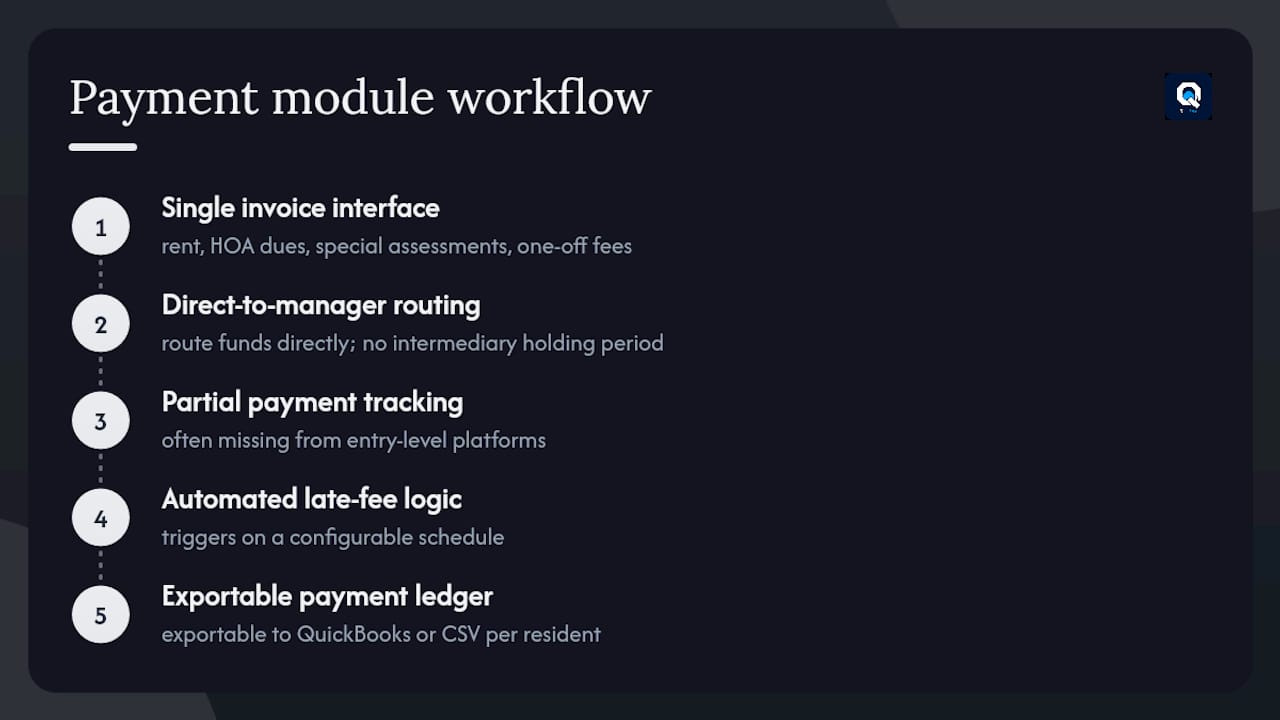
The payment module should handle rent, HOA dues, special assessments, and one-off fees from a single invoice interface. Online collection must route funds directly to your account without an intermediary holding period. Automated late-fee logic should trigger on a configurable schedule, and the full payment ledger per resident should be exportable to QuickBooks or CSV for reconciliation. For rent collection best practices, direct-to-manager routing and partial payment tracking are the two features most often missing from entry-level platforms.
Maintenance, work orders, and photo documentation
Maintenance intake should capture description, priority, photos, and unit details at submission. Each work order needs a status pipeline (submitted, assigned, in progress, completed), staff or vendor assignment, and before/after photo attachment. Property management automation covers the full operational lifecycle including maintenance triage and escalation rules, so look for platforms that can auto-escalate overdue work orders rather than relying on manual follow-up.
Completion proofs should include a timestamped, dated PDF that serves as the source-of-truth for any future dispute.
Applications, screening, and communications
Online applications should feed directly into a background and credit check workflow, with applicant statuses tracked from submitted through approved or denied. The communications module needs targeted messaging, announcement blasts, and threaded message history tied to each resident profile. Delivery receipts matter: if you cannot prove a notice was sent, it may as well not have been.
Document library, audit log, and searchability
High-quality legal protection requires searchable PDFs and consistent naming conventions. Every document upload should be OCR-processed so text is searchable, not just stored. The audit log must be immutable: every action logged with a timestamp and the user who performed it. Version control on lease documents and notices prevents the "which copy is current?" problem that derails eviction proceedings.
Pro Tip: Test OCR quality during your vendor demo by uploading a scanned lease and searching for a clause buried on page 4. If the platform cannot surface it, your audit readiness is already compromised.
Multi-property controls, mobile, and integrations
Role-based access control should let you grant a maintenance tech work-order visibility without exposing rent ledgers. The mobile app needs offline capability so field staff can log inspections and attach photos in areas with weak connectivity, with real-time sync once connection restores. Integrations should cover Stripe for payments, QuickBooks or CSV for accounting, and payroll export formats compatible with ADP or Paychex.
Reporting must surface occupancy rates, collection rates, delinquency aging, maintenance KPIs, and vendor spend across all properties from a single dashboard.
HOA-specific features that standard landlord tools often miss
HOA boards and managers need capabilities that go beyond standard rental workflows.
- Violation and fine management: log incidents with description, unit, and type; attach fine amounts; track from open to resolved with payment or waiver status recorded.
- Board voting: create votes with custom options, set deadlines, and view live results tied to the property record.
- ARC request tracking: residents submit architectural modification requests online; the board approves or denies with a documented decision trail.
- HOA dues: bulk-send dues to all active residents in a property at once, or create individual invoices for special assessments.
- Amenity scheduling: residents book pool, gym, or clubhouse time slots from the portal; managers approve or deny with notes; per-session time limits prevent monopolization.
- Visitor passes and parking permits: issue dated passes with guest details and vehicle info, printed or digital, tied to the resident record.
- Community announcements and surveys: targeted messages by priority level and resident feedback collection with response tracking.
Fine-grained enforcement audit trails are especially important for HOA boards: every violation notice, board vote, and ARC decision should appear in the activity log with the user who recorded it.
Security, compliance, and data-ownership requirements
Require these controls from any vendor before signing a contract:
- Role-based access control: staff see only what their role permits; residents see only their own records.
- Immutable audit log: every record change, login, and export logged with timestamp and user identity.
- PCI-aware payment handling: card data must never touch your servers; verify that the vendor routes through a PCI-compliant processor and that funds go directly to your account.
- Data ownership terms: confirm in writing that you own your data, can export it at any time, and can request deletion.
- Encryption at rest and in transit: ask for documentation, not just a checkbox on a marketing page.
- Backup and recovery: understand the recovery point objective and how long a restore takes.
- State-specific retention compliance: data retention policies should align with your state's landlord-tenant statutes; a suggested baseline is seven years for financial records and three years for inspection photos, but verify against your jurisdiction's rules.
Ask the vendor for an audit trail sample export, an explanation of their payment routing architecture, and proof of encryption at rest before you proceed to contract.
Implementation, migration, and cost planning
Expect a phased rollout rather than a single cutover. Quick wins come first: maintenance intake and rent collection automation deliver the clearest early return on investment, while lease-renewal automation and consolidated owner reporting are higher-value but require more configuration. This phased approach is consistent with property management automation research that identifies maintenance and delinquency reminders as the fastest ROI phases.
Migration checklist:
- Inventory all current data sources (e-sign tools, spreadsheets, email, photo folders, accounting software).
- Define your canonical folder taxonomy and naming conventions before importing anything.
- OCR and normalize all scanned documents into searchable PDFs.
- Map CSV fields from your current system to the new platform's data model.
- Run a sample import of 50 residents and validate every field before full cutover.
Cost drivers to budget for: per-unit or per-property fees vs. an org-level subscription, migration labor, integration development, and add-on fees for background checks or payment processing.
Questions to ask vendors during demos and RFP evaluations
Short answer: ask for live demonstrations of search, export, and audit log use-cases before you evaluate anything else.
- Export a sample resident record as a PDF and verify it includes payment history, lease dates, and work orders.
- Request a role-based access demo: log in as a maintenance tech and confirm rent ledgers are not visible.
- Ask the vendor to explain payment routing step by step: where does the card data go, and when does money reach your account?
- Upload a scanned lease and search for a specific clause to test OCR quality.
- Disconnect the mobile device from Wi-Fi and log a work order with a photo to test offline capability.
- Ask whether API access is available and what export formats are supported.
Acceptance tests to run before go-live:
- Import a CSV of 50 tenants and audit for field completeness.
- Run a lease-expiry bulk notice for all leases expiring within 90 days.
- Attach before/after photos to a work order and produce a dated, timestamped PDF.
- Generate an owner report for the prior month and export it to CSV.
Red flags during demos: slow full-text search, opaque payment routing answers, missing or read-only audit logs, and no offline mobile capability.
How QuonSapp maps to the tenant-database checklist
QuonSapp covers every major checklist category: resident profiles, lease tracking, payments, maintenance, documents, HOA workflows, staff management, and portfolio reporting from a single platform.
- Resident profiles: contact details, lease dates, pet fees, parking, and emergency contacts per unit, with a full payment ledger per resident.
- Lease tracking: start/end dates, renewal alerts, and move-out tracking built in.
- Payments: direct-to-manager Stripe routing with no intermediary, partial payment support, automated overdue alerts, and a $1.00 flat platform fee configurable as tenant-paid or deducted from payout.
- Maintenance: work orders with photo documentation, staff or vendor assignment, and a status pipeline from submitted to completed.
- Audit log: every action logged with timestamp and user, exportable at any time.
- Multi-property and org controls: role-based access, data ownership settings, and a parent/sub-org network for management companies with consolidated billing.
- Mobile: native iOS and Android apps with offline-capable field workflows and real-time sync.
- HOA: violation and fine management, board voting, ARC requests, amenity scheduling, and visitor/parking pass issuance.
- Staff: GPS clock-in/out, time tracking, and payroll export to ADP, Paychex, or QuickBooks-compatible formats.
- Exports: CSV bulk import/export, QuickBooks-compatible accounting exports, and a document generator for notices and templates.
Pro Tip: Scope your QuonSapp pilot to a single property with a known set of documents. Run the acceptance tests from the vendor evaluation section above: import 50 residents via CSV, attach photos to a work order, and pull an owner report. If all three pass, your auditability baseline is confirmed before you expand to the full portfolio.
The feature list is not the hard part
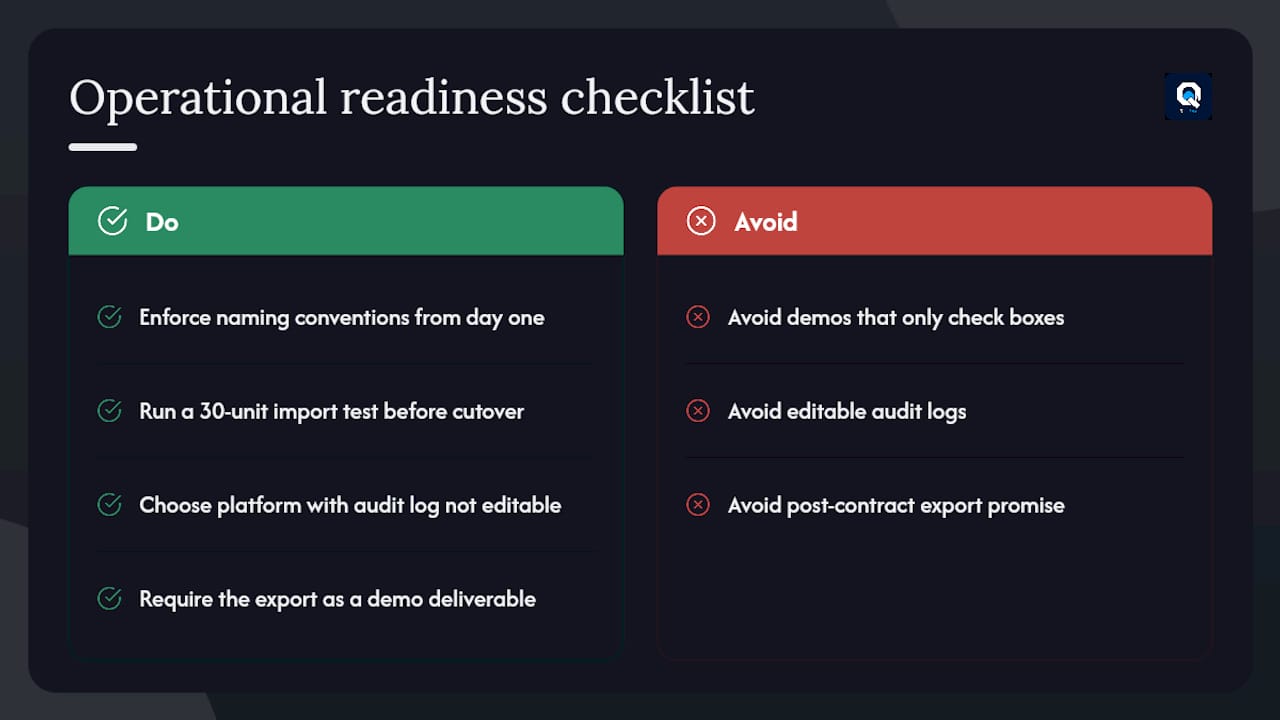
Most platforms will check every box on a feature list during a sales demo. The real test is whether those features hold up under operational pressure: a disputed move-out, a state audit, a board member demanding records from three years ago. The teams that fare best in those moments are not the ones with the most features. They are the ones who enforced naming conventions from day one, ran a 30-unit import test before full cutover, and chose a platform where the audit log cannot be edited after the fact.
The gap between "we have an audit log" and "here is a timestamped, user-attributed export of every action taken on Unit 4B since January" is where most platforms fail. Require the export as a demo deliverable, not a post-contract promise.
QuonSapp gives you audit-ready tenant records from day one
Property managers who need a platform that covers the full checklist without stitching together five separate tools should look at QuonSapp. It handles resident profiles, lease tracking, Stripe-powered payments, maintenance work orders, HOA workflows, staff scheduling, and a full audit log in one subscription.

The fastest way to evaluate fit is a single-property pilot. Load your existing residents via CSV, attach a few work orders with photos, run a lease-expiry notice, and pull an owner report. If those four tasks work cleanly, the platform will scale to your full portfolio. Visit QuonSapp to start your pilot or request a walkthrough of the audit log and payment routing features.
Sources
- Lease Document Storage Best Practices
- Property Management Automation Cuts 35% Admin Work in 2026
- Property Management Automation: 12 Tasks to Save Time