
A tenant payment ledger is a single, chronological record of every charge and payment tied to one tenant, from the first month's rent through the final move-out balance. If you need one now, here are your three fastest options:
- Printable PDF: Download a blank ledger template, fill in the header fields, and print. Best for one or two units.
- Spreadsheet: Open Google Sheets or Excel, create columns for date, description, charge, payment, method, and running balance, and you have a working ledger in under five minutes.
- Automated software: A platform like QuonSapp records every payment automatically, with timestamps, payment method, and a running balance and exports a clean CSV or PDF on demand.
The right choice depends on how many units you manage and how often you need to share records with lenders, attorneys, or auditors.
Key Takeaways
A complete, timestamped tenant payment ledger is your single most useful document for bookkeeping, dispute resolution, and lender verification.
| Point | Details |
|---|---|
| Three ledger formats | PDF works for 1–3 units; spreadsheets scale to 15; automated software handles larger portfolios. |
| Nine essential fields | Every row needs date, description, charge, payment, method, reference number, late fee, balance, and notes. |
| Retention guideline | Keep ledgers three to seven years after move-out; longer if a dispute or eviction is involved. |
| Lender value | Fannie Mae's DU uses 12 consecutive verified rent payments as a positive-only input to mortgage underwriting. |
| QuonSapp automates it | QuonSapp logs every Stripe payment with a timestamp and exports a clean ledger PDF or CSV on demand. |
Table of Contents
- What does a tenant payment ledger actually record?
- Three ways to create and maintain a tenant payment ledger
- How QuonSapp automates your tenant payment ledger
- What fields must every tenant payment ledger include?
- Why keeping a tenant payment ledger pays off
- How long should you keep tenant payment ledgers?
- Where can you find or export an existing tenant ledger?
- Rent ledger vs. rent roll: which one do you need?
- Why verified rent payment history matters to lenders and credit bureaus
- The ledger habits that actually save time
- QuonSapp keeps your ledger current without the manual work
- Sources
What does a tenant payment ledger actually record?
A rent ledger, also called a rental payment ledger or lease payment history, is the tenant-level accounting document that shows every financial event tied to a lease: charges posted, payments received, late fees applied, and the resulting balance after each transaction. Think of a single row as: March 1, 2026 — Monthly Rent — $1,500 charge — $1,500 payment — Credit card — $0.00 balance.
Landlords reach for this document in several routine situations:
- Monthly bookkeeping: Reconciling deposits against posted charges.
- Dispute resolution: Proving a payment was received (or wasn't) when a tenant contests a balance.
- Move-out audits: Calculating the final statement and security deposit disposition.
- Loan underwriting support: Providing a lender with verified rent payment history when refinancing or applying for a new mortgage.
The ledger is tenant-level and transaction-level. It is not a portfolio summary. That distinction matters when you need to hand a single tenant's complete record to an attorney or a loan officer.
Three ways to create and maintain a tenant payment ledger
Printable PDF
A PDF template works well for landlords managing one to three units who prefer paper records or need a quick solution. Print a blank ledger, fill in the property address, unit number, tenant name, and lease dates at the top, then log each transaction by hand as payments arrive.
The downside is obvious: no automatic running balance, no search function, and no easy export. If a tenant disputes a charge six months later, you are flipping through paper.
Spreadsheet setup
A spreadsheet is the most popular middle-ground option. Here is a numbered checklist to build a reusable sheet from scratch:
- Create a header block at the top: property address, unit, tenant name, lease start date, lease end date, and security deposit amount.
- Add column headers in row 8 or so: Date, Description, Charge, Payment, Method, Reference No., Late Fee, Balance, Notes.
- Enter the opening balance in the first data row (usually $0.00 or the security deposit amount, depending on your format).
- Write a running balance formula in the Balance column:
=Previous Balance + Charge - Payment. Copy it down for every new row. - Apply data validation to the Method column so entries stay consistent (e.g., ACH, Check, Credit Card, Cash).
- Freeze the header rows so column labels stay visible as the ledger grows.
- Save a blank master copy and duplicate it for each new tenant.
Pro Tip: Color-code rows where a late fee appears (light red fill) so overdue months are visible at a glance when you scroll through a long ledger.
Automated software
Automated platforms capture every detail the moment a payment is processed: timestamp, payment method, transaction reference, and updated balance. There is no manual entry, no formula errors, and no risk of a row being accidentally deleted. The trade-off is a monthly subscription cost, which pays off quickly once you manage four or more units.
Choosing the right approach:
- Solo landlord, 1–3 units: Printable PDF or spreadsheet.
- Growing portfolio, 4–15 units: Spreadsheet with monthly exports to a cloud folder.
- Portfolio manager, 15+ units: Automated software with Stripe integration and audit-log exports.
You can download free blank PDF and spreadsheet ledger templates from property management resource sites. For an automated option, QuonSapp's property management platform includes a built-in ledger for every resident.
How QuonSapp automates your tenant payment ledger
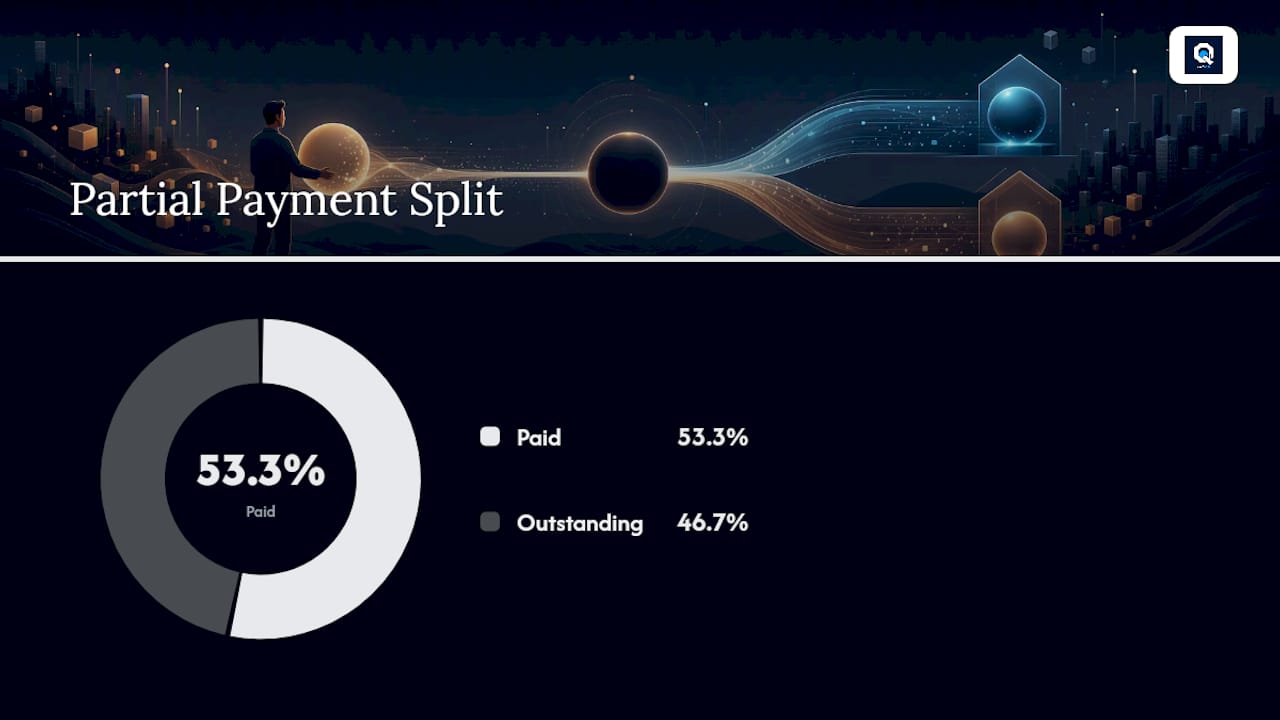
QuonSapp builds the ledger for you. When a tenant pays an invoice through the resident portal using a credit or debit card, the system records the transaction instantly: date, amount, payment method, and a running balance per resident. Every entry carries a timestamp and is tied to the specific invoice it satisfies.
Core ledger features landlords use most:
- Full payment history per resident with timestamps and method records.
- Stripe-direct deposits: Funds go straight to your Stripe account with no intermediary holding period.
- Partial payment tracking: If a tenant pays $800 of a $1,500 balance, the system logs the partial amount and updates the outstanding balance automatically.
- Audit log: Every action in the system is logged with a timestamp and the user who performed it, creating a tamper-evident trail.
- CSV and PDF exports: Pull a clean, formatted ledger for any resident at any time, ready for an attorney, a lender, or your accountant.
The workflow looks like this: tenant pays through the portal → Stripe processes the payment → QuonSapp records the transaction with full metadata → the resident's ledger updates in real time → you export a PDF or CSV whenever you need it.
Pro Tip: Export each tenant's ledger to a dated PDF at the end of every month and save it to a cloud folder organized by property and unit. If a dispute arises six months later, you have a timestamped snapshot that cannot be edited.

Lease tracking is built into the same dashboard, so the ledger header fields (lease start, lease end, rent amount) populate automatically from the lease tracking workflow.
What fields must every tenant payment ledger include?
A complete ledger has two layers: a header block that identifies the tenancy, and per-transaction rows that record every financial event.
Header fields:
- Property address and unit number
- Tenant full name
- Lease start and end dates
- Monthly rent amount
- Security deposit amount and date received
Per-transaction fields:
- Date of transaction
- Description (e.g., "Monthly Rent," "Late Fee," "Security Deposit")
- Charge amount (debit)
- Payment amount (credit)
- Payment method (ACH, check, credit card, cash)
- Check number or reference number
- Late fee (if applicable)
- Running balance after the transaction
- Notes (e.g., "Tenant called re: partial payment," "NSF check returned")
A well-structured tenant ledger in accounting systems like Sage Intacct shows exactly this layout: header info, accounting date, charge date, description, invoice or check number, beginning balance, charges, payments, and ending balance, with export support built in.
Sample ledger row:
Use consistent date formatting (MM/DD/YYYY), always denominate in USD, and never leave the Balance column blank for any row.
Why keeping a tenant payment ledger pays off
A complete rental payment tracking record does more than satisfy your inner accountant. Here is where it earns its keep:
- Faster bookkeeping: Monthly reconciliation against bank statements takes minutes when every transaction is already logged with a reference number.
- Clearer tenant communication: A printed or emailed monthly rent statement removes ambiguity about what is owed and what has been paid.
- Dispute evidence: If a tenant claims they paid and you have no record, a timestamped ledger with a payment method and reference number settles the question quickly.
- Eviction support: Courts in most U.S. states require documented proof of unpaid rent. A chronological ledger with a running balance is the standard exhibit.
- Move-out statements: Security deposit disposition letters are far easier to prepare when you have a complete charge-and-payment history from day one.
- Loan underwriting support: Lenders increasingly accept verified rent payment history as supplemental credit evidence (more on this in the research section below).
One practical note: state law governs how ledgers can be used in eviction proceedings, what notice periods apply, and how security deposits must be documented. The ledger is your evidence, but the rules for using it vary by state. Consult a licensed attorney for state-specific legal questions before relying on a ledger in court.
How long should you keep tenant payment ledgers?
A practical retention guideline for most landlords is three to seven years after a tenancy ends. Three years covers most standard contract dispute statutes of limitations; seven years aligns with IRS guidance on business record retention for income and expense documentation. Keep records longer if a dispute is pending or if a tenant's account involved a returned check, an eviction, or a security deposit claim.
Backup checklist:
- Export a PDF and CSV copy of each tenant's ledger at move-out and save both.
- Store at least one copy in an encrypted cloud service (Google Drive with two-factor authentication, Dropbox Business, or similar).
- Export monthly during active tenancies and save to a dated folder (e.g.,
Unit-4B / 2026-04). - Preserve the audit trail export separately from the formatted ledger, since the audit trail shows who made changes and when.
Security basics for tenant PII:
- Restrict ledger access to staff who need it. Not every maintenance worker needs to see payment history.
- Use strong, unique passwords for any platform that stores tenant financial data.
- Enable two-factor authentication on your property management software, cloud storage, and email accounts.
For a broader look at digital property management practices that protect tenant records, the linked guide covers access controls and data hygiene in more depth.
Where can you find or export an existing tenant ledger?
If you need to reconstruct a rent payment history, you have several sources to pull from:
- Tenant portal exports: Most property management platforms let you export a resident's full payment history as a CSV or PDF directly from the dashboard.
- Bank statements: Filter by the tenant's name or the recurring deposit amount. Most U.S. banks allow you to export 12–24 months of statements as a PDF or CSV.
- Payment processor reports: Stripe, PayPal, and similar processors maintain transaction logs you can filter by date and export. Stripe's dashboard, for example, lets you export a CSV of all charges with timestamps and reference IDs.
- Accounting software exports: QuickBooks, Wave, and similar tools can generate a customer transaction report filtered by tenant that mirrors a ledger format.
To request transaction history from your bank or processor, a short email works:
When reconstructing missing months, match bank deposit dates to the rent amounts in your lease, note any discrepancies, and flag months where the deposit amount differs from the stated rent (partial payments, returned checks, or combined payments).
Rent ledger vs. rent roll: which one do you need?
These two documents are often confused, and using the wrong one in the wrong context creates real problems.
| Rent Ledger | Rent Roll | |
|---|---|---|
| Scope | One tenant, one lease | All units across a property or portfolio |
| Detail level | Transaction-by-transaction | Summary: unit, tenant, rent due, rent paid, balance |
| Primary use | Dispute evidence, eviction, underwriting | Income projection, vacancy tracking, lender due diligence |
| Time frame | Full lease history | Typically a single point in time or monthly snapshot |
| Who requests it | Attorneys, courts, lenders (per-tenant) | Investors, lenders (portfolio-level), property owners |
Use the rent ledger when you need to prove what one tenant paid or owes. Use the rent roll when a lender or investor asks for a portfolio income summary. For a refinance or acquisition, you will often need both: the rent roll to show projected income and individual ledgers to verify the actual payment history behind the numbers.
Keep them synchronized by exporting both on the same schedule, ideally at the end of each month.
Why verified rent payment history matters to lenders and credit bureaus
This is where a well-maintained ledger pays dividends beyond your own bookkeeping.
Fannie Mae's guidance explains that consistent monthly rent payments can help renters qualify for a mortgage when 12 consecutive payments are verifiable through a credit report or a 12-month asset verification report. That means your tenant's on-time payment record, if captured and reported correctly, can directly affect their ability to buy a home.
On the lender side, Fannie Mae's Desktop Underwriter (DU) uses 12-month asset verification reports and credit-report rent entries to identify recurring rent payments and treat them as a positive-only input to the credit assessment. DU can even combine payments from multiple accounts to build a complete picture.
The practical implication for landlords: If your payment platform captures timestamps, amounts, and reference numbers, that data can feed directly into a 12-month verification report a lender requests.
Experian RentBureau is the industry's largest rental payment database, aggregating both positive and negative rental payment records for use in screening and underwriting. Property managers who report to RentBureau give prospective landlords richer data when screening applicants.
Rent-reporting services take this further. Zillow's CreditClimb partnership reports on-time rent to major credit bureaus and may allow reporting of up to 24 months of past payments in some programs, giving tenants a credit-building benefit from rent they have already paid.
A few caveats landlords must observe:
- Obtain tenant consent before enrolling them in any rent-reporting program.
- Understand that late payments (generally those 30 or more days past due) are typically not treated as positive data by reporting services or bureaus.
- Verify that your payment platform captures the data fields (amount, date, method) that reporting services require.
The ledger habits that actually save time
Most landlords who struggle with payment records are not missing a better template. They are missing a consistent weekly routine.
The landlords who keep the cleanest records tend to do three things: they reconcile new payments within 48 hours of receipt, they log exceptions (partial payments, returned checks, verbal agreements) in the Notes field the same day, and they export a monthly snapshot on the last day of each month without waiting for a dispute to motivate them.
Color-coding is underrated. A simple red fill on any row where a late fee was charged makes a 12-month ledger readable in seconds. Attach receipt links or check images in the Notes column when your platform supports it. When a tenant disputes a charge, you can share a direct link to the transaction record rather than digging through email.
The move-out export is the one landlords most often skip. Pull the complete ledger as a PDF the day a tenant vacates, before you process the security deposit. That timestamped snapshot is your baseline for any deposit dispute that follows.
QuonSapp keeps your ledger current without the manual work
Managing rent records across multiple units in a spreadsheet works until it doesn't. A missed formula, a deleted row, or a payment logged to the wrong tenant can take hours to untangle. QuonSapp eliminates that risk by building the ledger automatically from every payment processed through the resident portal.
Tenants pay by credit or debit card directly from their portal. Funds go straight to your Stripe account with no holding period. QuonSapp logs the transaction with a timestamp, payment method, and reference number, and updates the resident's running balance in real time. When you need to share the record, you export a clean PDF or CSV in seconds.
For landlords managing rent collection across multiple properties, the consolidated payment analytics dashboard shows on-time payment rates, overdue balances, and collection trends across your entire portfolio at a glance.
Ready to replace your spreadsheet with a ledger that updates itself? Start with QuonSapp and have your first resident's payment history logged automatically from day one.
Sources
- Responsibility counts. Reliability counts. Now, rent counts. | Fannie Mae
- RentBureau | Rental history database | Experian
- Build Credit Faster with Rent Reporting by Credit Climb | Zillow
- Tenant Ledger | Sage Intacct Real Estate Help Center
This article provides general informational guidance on tenant payment record-keeping and is not a substitute for legal or financial advice. Consult a licensed attorney or CPA for state-specific legal requirements and tax guidance.